Sentinel CCTV

Record every camera, 24/7.
Light enough for a mini PC.

Sentinel is a free, open-source video recorder for IP cameras. It keeps a continuous recording of every camera, marks motion on a timeline and connects to Home Assistant. It runs in a 350 MB Docker image and does not need an AI accelerator.

Version 0.1.0, early development. MIT licence.

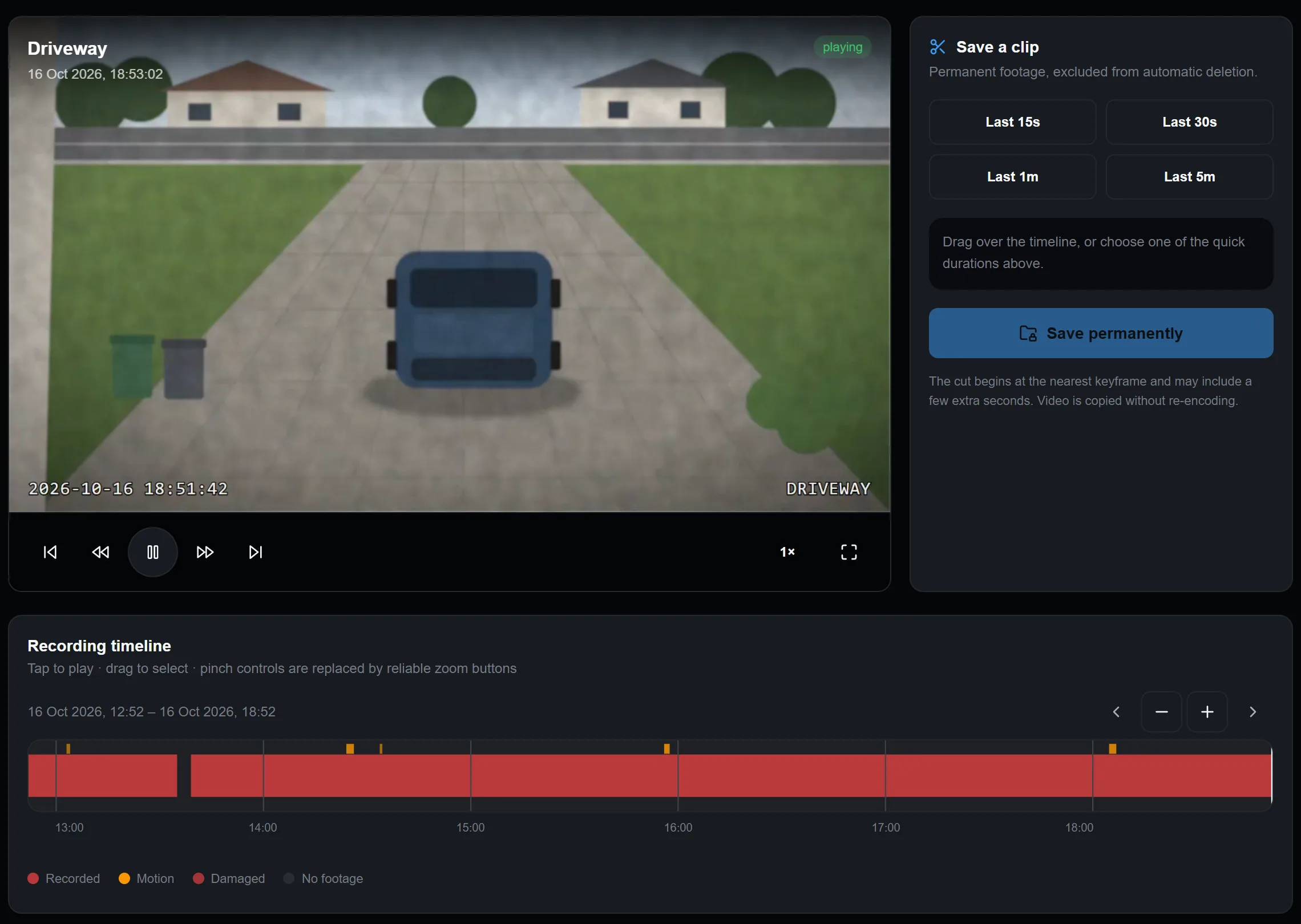
The Timeline page playing back a driveway camera, with the six-hour recording bar and motion marks below.
Screenshots show demo cameras, not a real home.
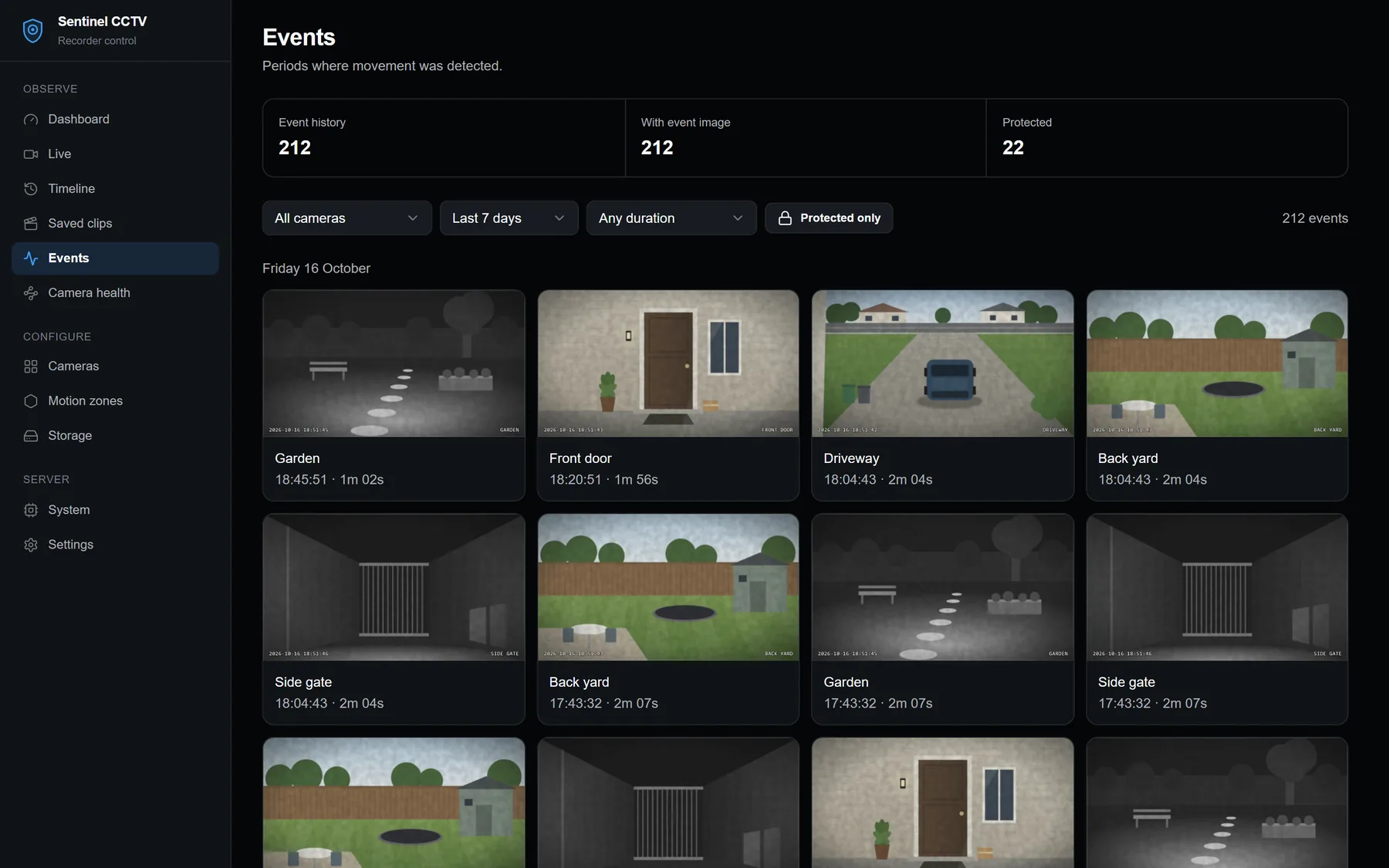
The Events page: motion events from several cameras, each with a picture, grouped by day.

Find what happened

Motion is detected on each camera's low-resolution stream and saved as an event with a picture. The Events page groups them by day, so a delivery at the door or a car in the driveway is easy to find.

On the timeline, tap an event to play the recording from that moment.

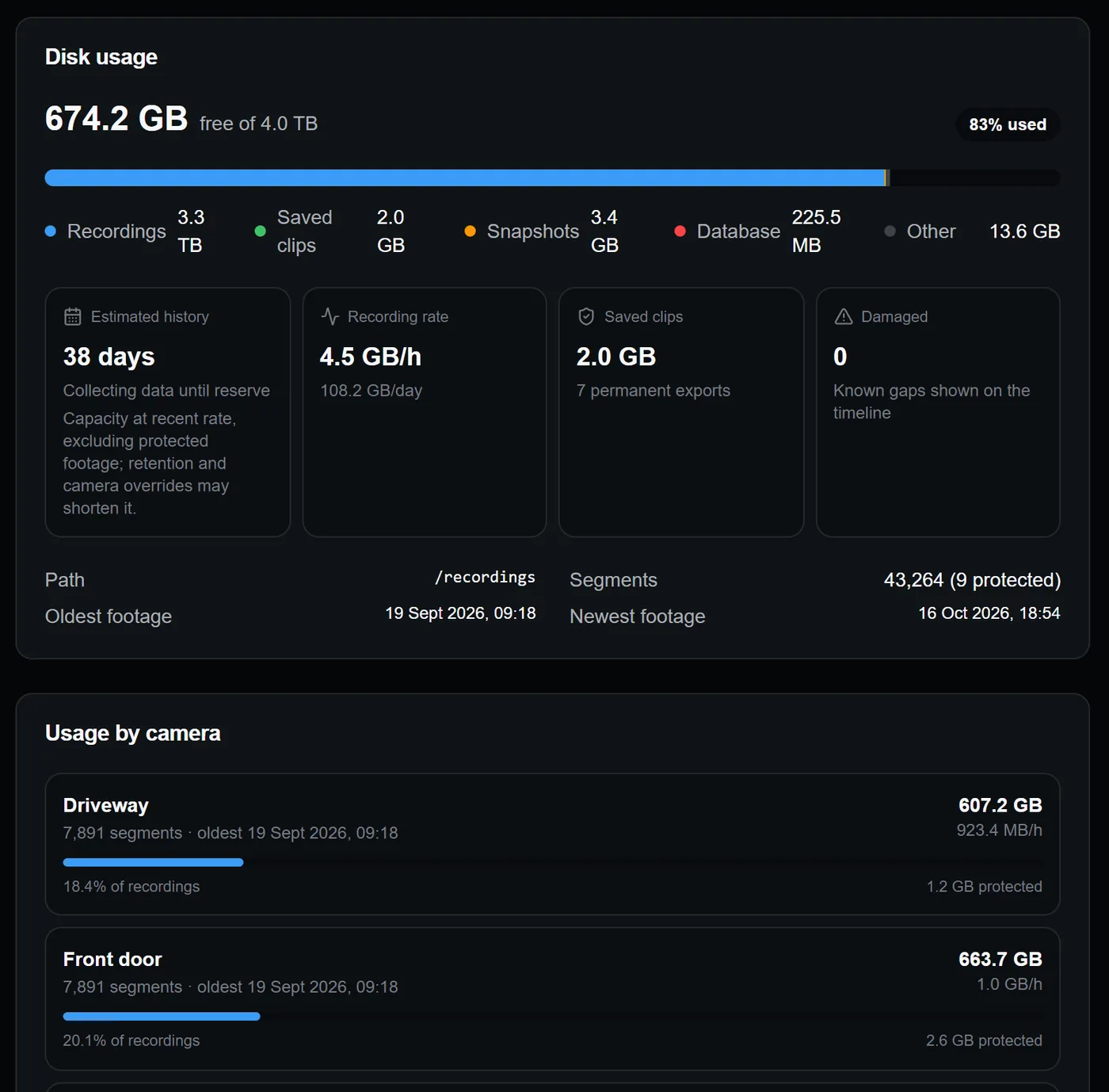
The Storage page: disk usage, recording rate, saved clips and space used by each camera.

Know how long your disk lasts

Sentinel shows how much space each camera uses and how many days of footage fit on the disk. You choose how long to keep recordings and how much space to leave free.

Clips you save are kept until you delete them, even when old footage is cleared automatically.

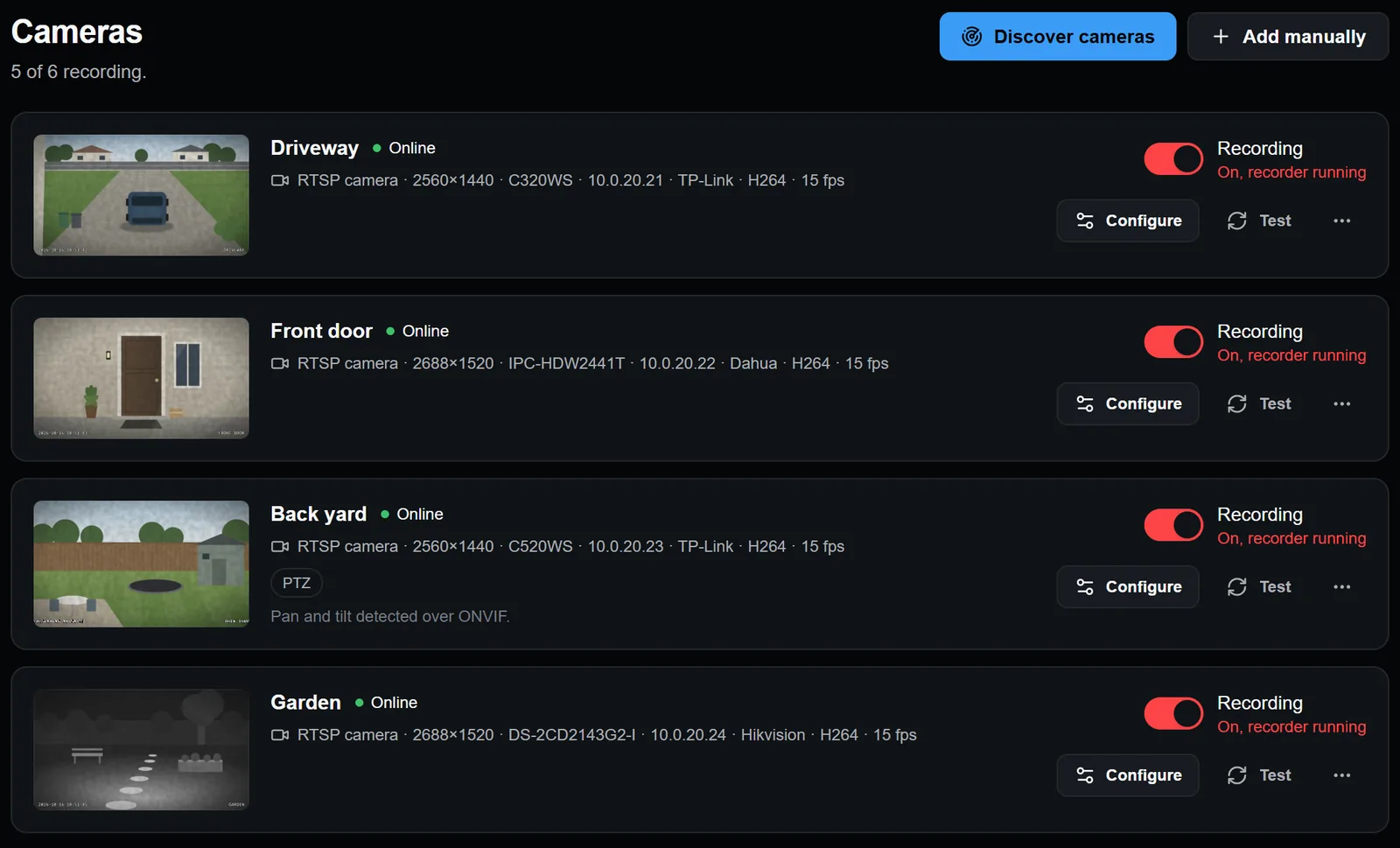
The Cameras page: a list of cameras with snapshots, stream details and a recording switch for each.

All cameras on one page

Add cameras by scanning the network over ONVIF or by typing the RTSP address. Each camera has its own recording switch, and pan and tilt controls appear on cameras that support them.

Sentinel opens one connection per camera and shares it between recording, motion detection and live view. Video is stored as the camera sends it, without re-encoding.

Works with Home Assistant

The integration adds each camera to Home Assistant with a snapshot, a motion sensor and a recording switch, so you can use them in automations.

It talks to a Sentinel server and does not record anything itself, so install the server first.

  1. In Sentinel, create a token under Settings → API tokens.
  2. In Home Assistant, open HACS → ⋮ → Custom repositories and add this repository as an Integration:
https://github.com/jencarnacao19/sentinel-cctv
  1. Install Sentinel CCTV, restart Home Assistant, add it under Settings → Devices & services and paste the token.

Home Assistant guide

Install

You need a Linux computer with Docker on the same network as your cameras. A Proxmox VM or LXC works. Images are published for amd64 and arm64.

mkdir sentinel && cd sentinel
curl -fsSLO https://raw.githubusercontent.com/jencarnacao19/sentinel-cctv/main/compose.yml
mkdir recordings && sudo chown 1000:1000 recordings
docker compose up -d

Then open http://<server-ip>:8090 in a browser and create the administrator account. Running hostname -I on the server shows its address.

Building from source and notes for Proxmox are in the README.

How it compares with Frigate

Frigate is also free and open source, and it is the better choice if you want AI object detection. It can tell a person from a cat, and it recommends an accelerator such as a Coral or a Hailo for that.

Sentinel only detects motion. In exchange it needs no accelerator, and its Docker image is about 350 MB, against roughly 2.2 GB for Frigate.

Figures from October 2026: Sentinel 0.1.0 and Frigate 0.18.2, compressed amd64 images. Sentinel is not affiliated with Frigate.

What it does not do yet

  • Recording is either continuous or off. Recording only on motion, or on a schedule, is planned.
  • In Home Assistant the camera shows snapshots. Live video plays in Sentinel's own page.
  • There is no object detection, so shadows, rain and car headlights also count as motion. Ignore zones help in the worst areas.
  • Version 0.1.0 is young software. Test it with your own cameras before you rely on it.